
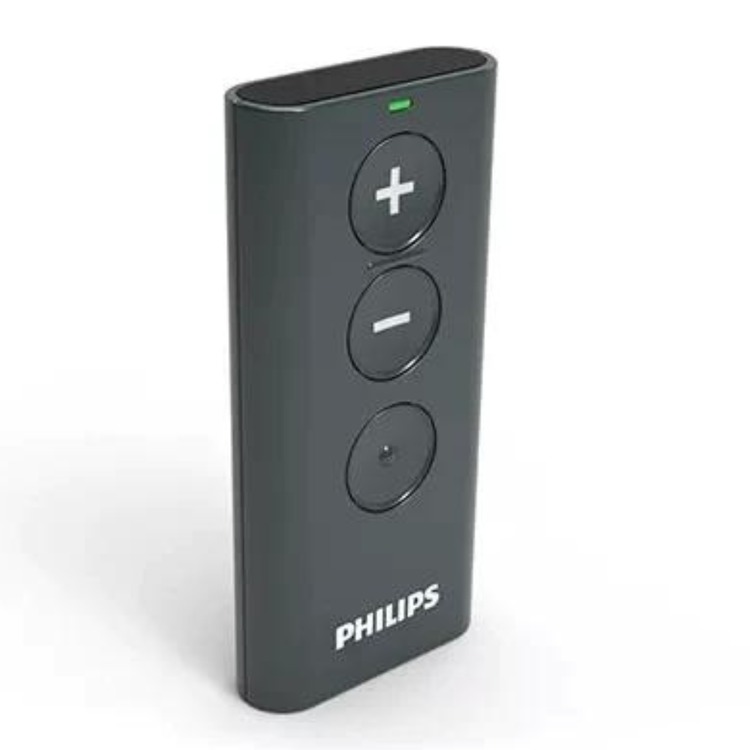
Philips HearLink Hearing Aid Remote Control
Code: 3L194843

-
VAT
Choose quantity
Please allow 3 or 4 working days for dispatch of this product
Description
The Philips HearLink hearing aid remote control communicates with Phiips HearLink hearing aids using 2.4 GHz wireless technology and allows for discreet volume and program changes.
The Remote Control is a personal device intended to be used with one set of hearing aids. The Remote Control can operate up to two hearing aids at a time after pairing. Before the Remote Control can be used with your hearing aids, the devices need to be paired.
The Philips remote control is simple to set up and use - you just have to pair it with your hearing aids, see video on video tab - it does not require Audiologist assistance to set it up.
The Philips HearLink hearing aid remote control can operate the hearing aids from a distance of up to 1 metre and being a radio wireless device a direct line of sight between the Remote Control and the hearing aids is not required. If you wear two hearing aids, the remote will adjust the programs in both aids at the same time.
Operates with 2 x AAAA batteries (supplied) which operate for aproximately one year before needing to be replaced.
Compatible with Philips HearLink hearing aids - you don't need an audiologist to set it up.
Philips product code: 194843
Help Centre
Quickguide instructions
- Check that the Remote Control has working batteries by pressing any button. With working batteries, the Remote Control status light will illuminate for as long as the button is held down.
- Switch the hearing aids off and on to initiate pairing mode. Please refer to the User Guide for your specific hearing aid model.
- Place both of your hearing aids within range of the Remote Control (i.e. within 20 cm (0.66 ft)).
- For pairing press any button on the Remote Control and it will automatically pair with the hearing aids in range. When the status light on the Remote Control lights up steady green for 10 seconds, the devices have been paired successfully.





